


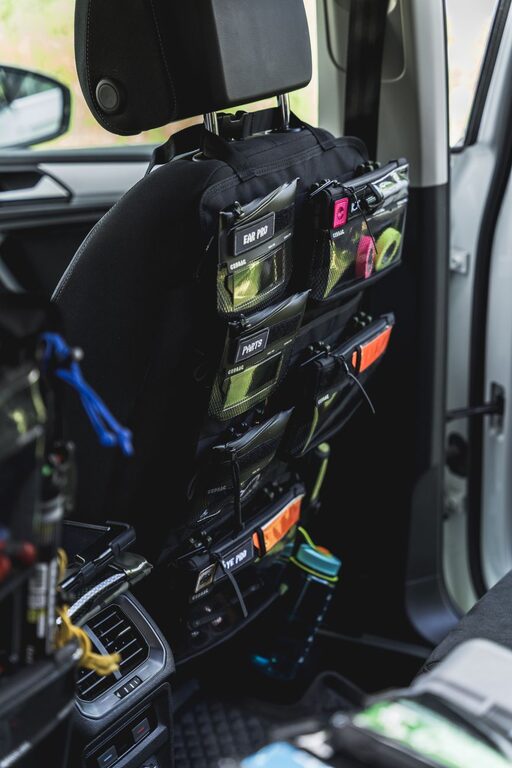







How to Organize Cables and Chargers Neatly: Easy Tips and Tricks
Keeping cables and chargers organized can be a challenge, especially as our electronic devices multiply. Tangled cords not only look messy but can also lead to frustration and even damage to your cables. Fortunately, with a bit of planning and the right tools, you can maintain a neat and orderly setup that makes your daily routine easier. In this post, we’ll explore practical methods and helpful tips to organize your cables and chargers efficiently.
Why Organize Cables and Chargers?
Before diving into the how-to, it’s helpful to understand why organizing cables matters:
– Reduces clutter: A tidy space is more inviting and allows you to focus better.
– Prevents damage: Proper storage can extend the lifespan of your cables by avoiding unnecessary bending and tangling.
– Saves time: Finding the right charger or cable quickly means less time spent untangling and searching.
– Improves safety: Organized cables reduce the risk of tripping and accidental unplugging.
Now, let’s explore some easy ways to keep your cables and chargers neat.
Assess Your Cable Situation
Start by gathering all your cables and chargers in one place. This gives you a clear picture of what you have and helps with the next steps:
– Sort by type: Separate USB cables, power cords, headphone wires, and others.
– Discard unused items: If you have outdated or broken cables, recycle or dispose of them responsibly.
– Group by device: Match cables and chargers with their corresponding gadgets.
This initial step minimizes clutter and ensures you only keep what you truly need.
Essential Tools for Cable Organization
Having the right tools can make organizing cables easier and more effective. Here are some popular options:
– Cable ties or Velcro straps: Reusable fasteners that keep cables bundled without damage.
– Cable clips and holders: Adhesive clips that attach to surfaces, guiding cables in place.
– Cable sleeves or tubes: Enclosures to group multiple cables neatly.
– Label tags: Stickers or tags to identify cables quickly.
– Charging station or organizer boxes: Dedicated spaces to store chargers and keep cables tidy.
Many of these items are inexpensive and widely available online or in stores.
Step-by-Step Cable Organization Guide
1. Untangle and Detangle
Begin by straightening each cable fully. Gently unknot any tangles and lay cables flat. This prevents damage and prepares cables for bundling.
2. Coil Cables Properly
When coiling cables, avoid tight loops that can cause damage. Instead, use the “over-under” method:
– Start by making a natural loop in one direction.
– For the next loop, twist the cable in the opposite direction.
– Repeat until the cable is fully coiled.
This method prevents kinks and keeps cables flexible.
3. Use Velcro Straps or Cable Ties
Secure each coiled cable with a Velcro strap or reusable cable tie. Avoid zip ties that can pinch and damage cables over time.
4. Label Each Cable
Attach a small label or tag to each cable indicating its purpose or device. This simple step saves time when locating specific cables.
5. Designate a Storage Area
Choose a drawer, box, or organizer specifically for cables and chargers. Use compartments or dividers to separate different types.
6. Employ Cable Clips for Frequently Used Cables
For cables you use daily—like charging your phone at your desk—stick cable clips along the edge of your workspace to keep cords accessible but tidy.
7. Create a Charging Station
Set up a central charging station where all your chargers and devices can connect in one place. Use a multi-port USB charger to reduce the number of plugs required.
Organizing Cables in Different Spaces
At Your Desk or Workspace
– Use cable trays or raceways under the desk to keep cords off the floor.
– Employ desktop cable clips to manage headphone and charging cables.
– Keep a small basket or box for any extra cables nearby.
In Your Living Room
– Use decorative boxes to hide power strips and excess cords.
– Bundle long cables and secure them behind furniture.
– Label cables connected to entertainment devices for easy troubleshooting.
For Travel
– Invest in a cable organizer pouch with multiple compartments.
– Pre-coil and label cables before packing.
– Limit the number of cables by choosing multi-use chargers.
Maintenance Tips for Cable Organization
Organizing your cables once is a great start, but maintaining the system is key.
– Regularly review your cables to remove unused ones.
– Avoid bending cables sharply or placing heavy items on them.
– Periodically clean your storage areas to prevent dust buildup.
– Replace worn-out cables promptly to ensure safety.
DIY Cable Organizers You Can Make at Home
If you prefer a budget-friendly approach, here are some DIY ideas:
– Binder clips: Use large binder clips clipped to the edge of your desk to hold cables.
– Toilet paper rolls: Decorate empty rolls and use them to store coiled cables.
– Bread clips: Label bread clips and clip them onto cable ends for identification.
– Old sunglasses cases: Repurpose them as cable storage pouches.
These creative options can add a personal touch to your organization system.
Final Thoughts
Organizing cables and chargers may seem like a small task, but it can greatly improve your daily comfort and productivity. By sorting, securing, labeling, and storing your cables thoughtfully, you create a more streamlined and safe environment. Whether at home, in the office, or on the go, these tips can help you keep all your tech essentials neat and ready to use. Start today and enjoy a clutter-free, stress-free space!